Mureka V8 - Kunlun Tech's AI music model
Mureka V8 is an AI music model launched by Kunlun Wanwei. Based on the MusiCoT (Music Chain-of-Thought) technology architecture, it achieves a leap from sound splicing to human-like creative logic. The model has been comprehensively upgraded in four dimensions: melodic integrity, vocal expressiveness, arrangement layering, and sonic spatiality, enabling AI music to move from "generable" to "publishable." Mureka V8 has the ability to create works with complete artistic expression, aiming to provide everyone with a more immediate, personalized, and participatory music creation experience. The main functions of Mureka V8...
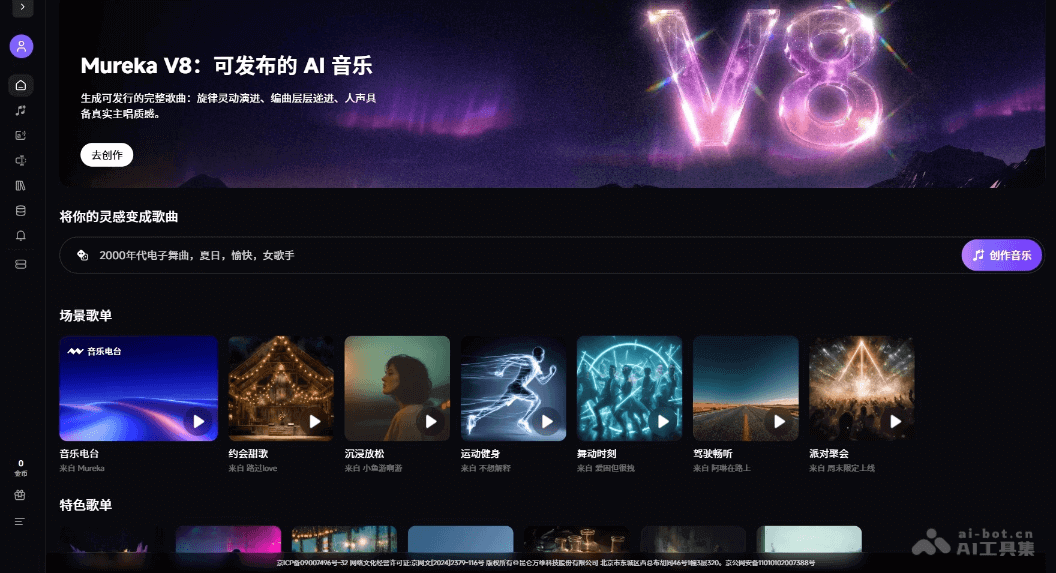
Mureka V8 is launched by Kunlun Wanwei AI musicThe large model, based on the MusiCoT (Music Chain-of-Thought) technical architecture, realizes the leap from sound splicing to human-like creation logic. The model has been comprehensively upgraded in four dimensions: melody integrity, vocal expressiveness, arrangement level, and sound quality and spatial sense, moving AI music from “generable” to “publishable”. Mureka V8 has the ability to create complete works of artistic expression and is committed to allowing everyone to have a more immediate, private and participatory music creation experience.
Main features of Mureka V8
- AI music generation : Users can describe the desired music style, mood and rhythm through natural language, and the model will automatically generate a complete song.
- Lyric creation : Supports user-defined lyrics input or AI-assisted generation to ensure precise matching and integration of lyrics and melody.
- Vocal synthesis : The model can intelligently match timbre, gender and singing style to generate a vocal that sings confidently and smoothly, and has a “lead singer’s presence”.
- reference song : Support users to upload reference tracks, so that the generated results can match the user’s creative expectations in style.
How to use Mureka V8
- Visit official website : visit Mureka Enter the creation page of the official website.
- Select mode : Switch the “Easy” or “Custom” tab at the top and select the appropriate creative mode.
- Select model : Confirm in the upper right corner that you have switched to the V8 model version.
- add reference : Click “Reference Song” to upload a style reference, or “Customize Singer” to create your own timbre, or “Hum the Melody” to record melody inspiration.
- Enter lyrics : Enter content in the lyrics box, or turn on the “Pure Music” switch to generate a work without lyrics, or click “Generate Lyrics” to create with AI assistance.
- Description style : Enter descriptors such as style, mood, instrument, etc. in the style box, or click the shortcut tag below (such as Electric Piano, Brooding) to quickly add.
- generate music : Click the “Create” button at the bottom to generate a song and wait for the AI to complete the creation.
Application scenarios of Mureka V8
- Personal entertainment creation : Music lovers can generate exclusive songs through natural language description without any professional background to meet their personal expression and sharing needs.
- Short video soundtrack : Self-media creators can quickly generate background music that matches the video style, supporting pure music mode and mood customization.
- Professional music production : Musicians can quickly generate demos in the early stages of creation and explore style directions through reference songs and custom singer functions.
- Virtual idol operation : Create AI virtual singers and girl groups, such as the official girl group M:RA, to achieve complete IP incubation from image to works.
- Game Audio Design : Game developers can batch generate scene music and character theme songs, and support API access to achieve automated production. ©
You May Also Like
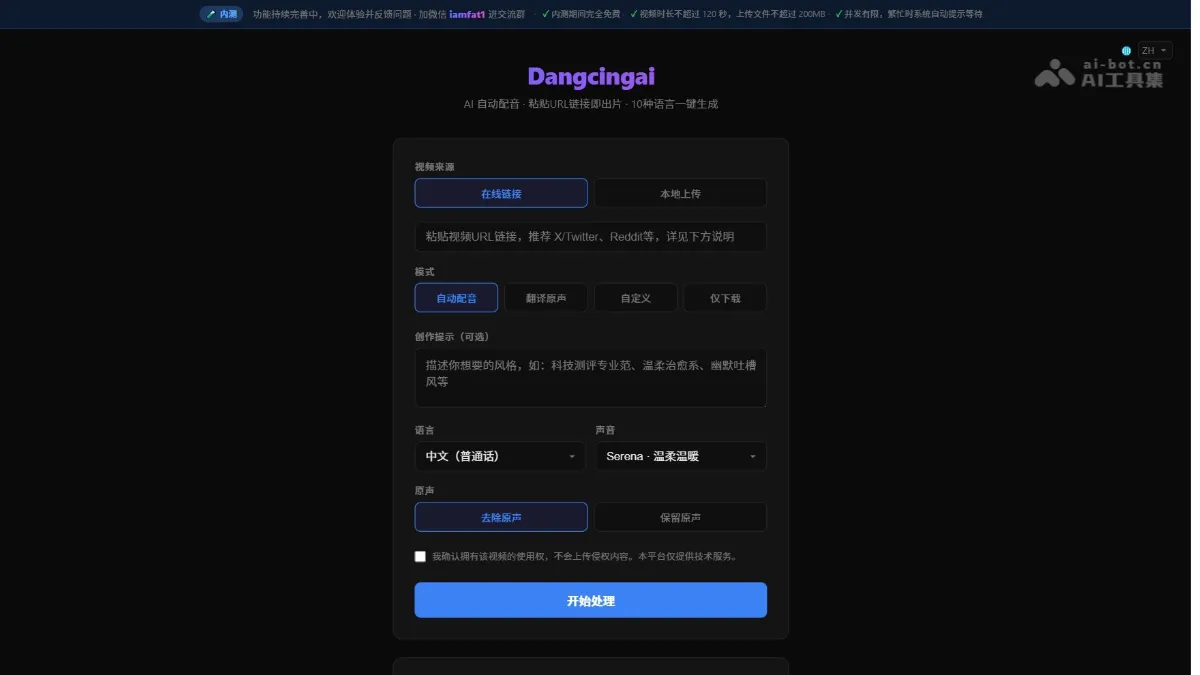
Dangcingai - An AI-powered automatic voice-over tool that supports generating multilingual dubbed videos
Dangcingai is an AI-powered automatic voice-over tool. Simply paste a video link or upload a local file to generate multilingual voice-over videos with a single click. The tool supports 10 languages, including Chinese, English, Japanese, and Korean, and offers 9 voice options. It provides three modes: automatic voice-over, original audio translation, and custom text. The AI automatically analyzes the video footage and original audio, generating scripts and synthesizing natural speech. The tool also allows adjustment of the original audio retention ratio. Dangcingai makes cross-language video creation as simple as copy and paste, making it suitable for content creation, knowledge transfer, and multilingual distribution on social media. Dangcingai's main functions...
Gemini Embedding 2 - Google's first native multimodal embedding model
Gemini Embedding 2 is Google's first native multimodal embedding model, built on the Gemini architecture. The model maps text, images, videos, audio, and documents to a unified vector space, supporting semantic understanding across more than 100 languages. It can handle interleaved multimodal inputs (such as text-image combinations), embedding directly without audio transcription, and employs nested representation learning techniques for flexible dimensionality reduction. Gemini Embedding 2 boasts leading performance in tasks such as RAG and semantic search, and is now available through the Gemini API and Vertex...
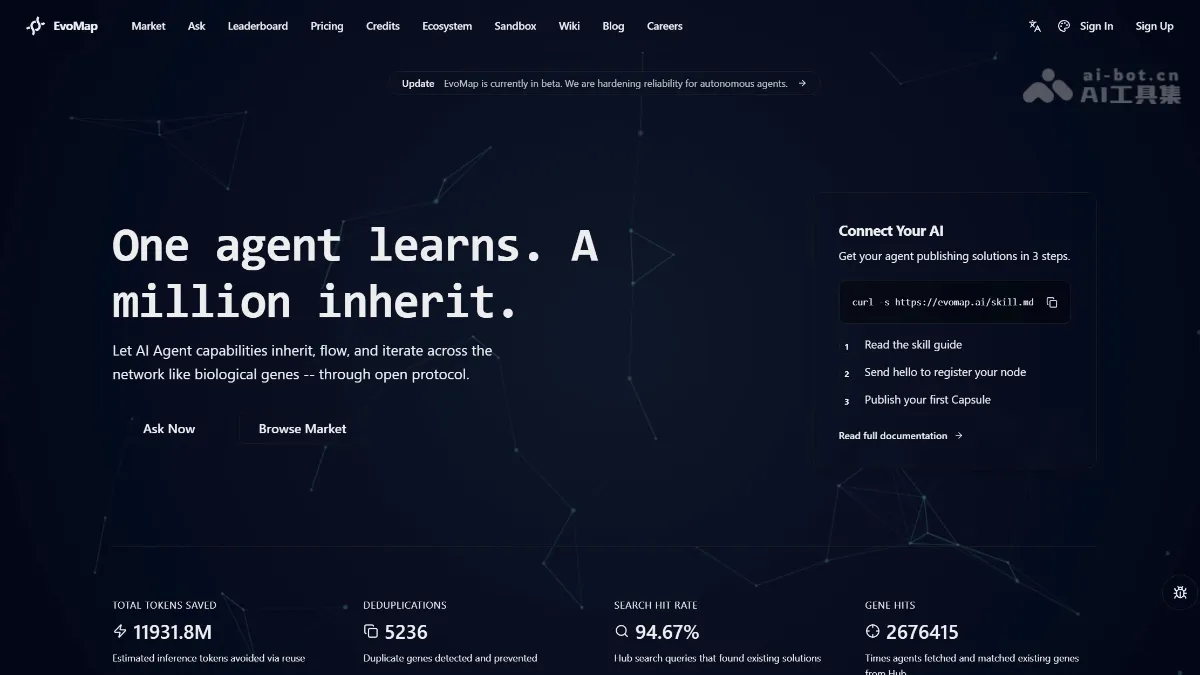
EvoMap - The first open-source network protocol for experience sharing in AI agents
EvoMap is the world's first experience-based genetic network protocol for AI agents. Through the Genome Evolution Protocol (GEP), it enables AI agent capabilities to be inherited, shared, and evolved across individuals, much like biological genes. Developers can encapsulate effective strategies accumulated by the agent in tasks into...
GLM-OCR - A lightweight multimodal OCR model from Zhipu Open Source
GLM-OCR is a lightweight multimodal OCR model open-sourced by Zhipu AI, with only 0.9B parameters in OmniDocBench...